
projects/ guardian-browser
Guardian Browser
A security driven browser to protect against phishing and other attacks.
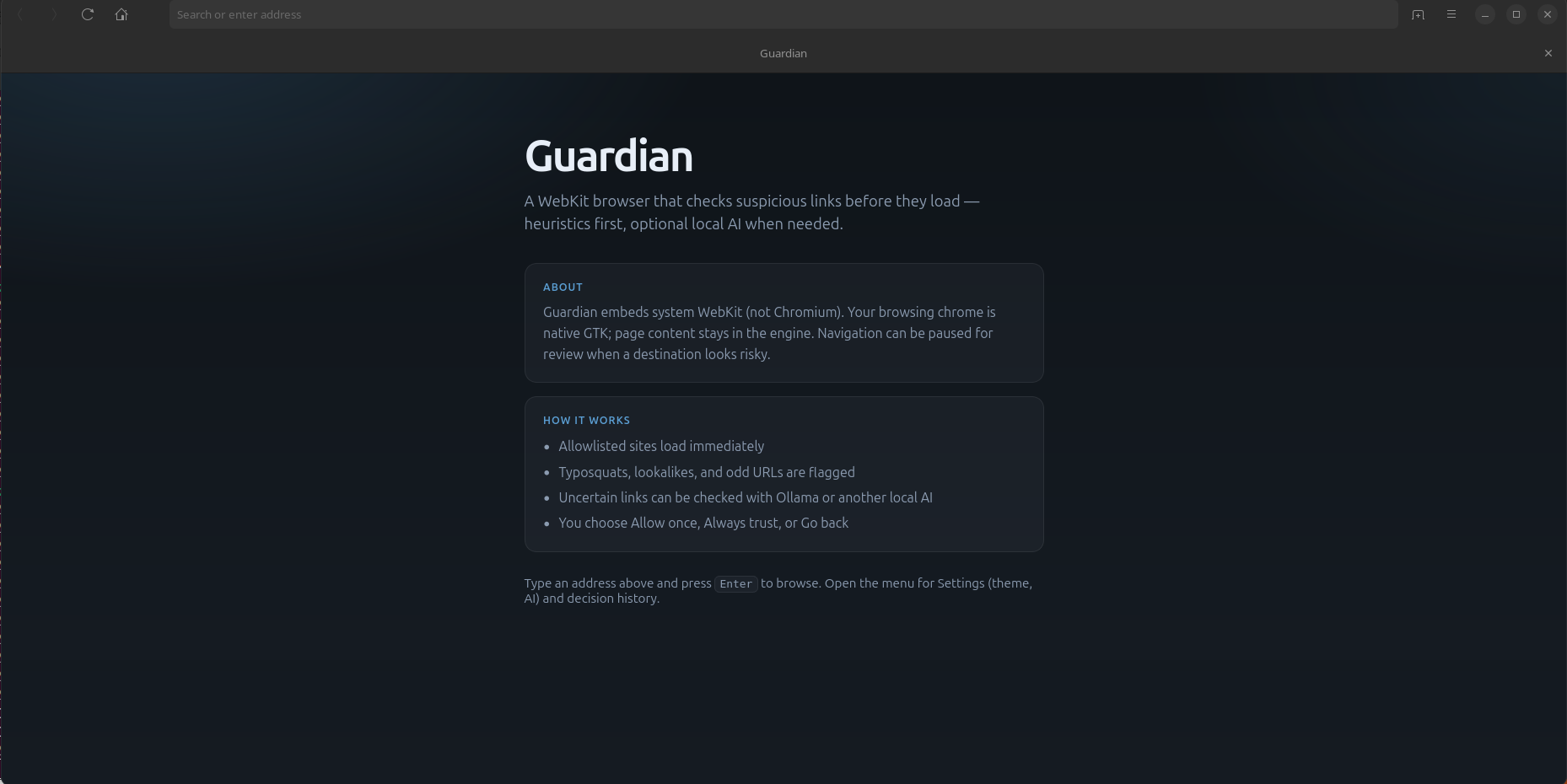
Introducing Guardian
A browser that treats every click like it might be a trap.
Most browsers are built to load the web as fast as possible. That is the right default for shopping and docs and memes. It is the wrong default when the page is a Google Sites clone of a PayPal login, a typosquat of your bank, or a script quietly shipping your cookies to someone else’s malicious server.
Guardian is my answer to that gap: a desktop browser where protection is not a bolted-on Safe Browsing checkbox — it is the product.
This is an early introduction. Guardian is real software that runs today. It’s currently in the prototype phase but is fully functional.
Why another browser?
Chrome, Firefox, and Edge already ship malware and phishing protections. They are good at known-bad URLs and known-bad hashes. They are weaker when:
- The host is “trusted” (a free site host, a CDN, a paste-like origin) but the page is bait.
- The brand in the URL path or page title does not match the domain.
- Credential theft happens after navigation — on a page that already loaded.
- Exfiltration looks like ordinary fetch, sendBeacon, or clipboard access.
Guardian assumes they are bad first until proven otherwise. The browser should argue with you before you walk into them, and keep arguing after the page is up.
It also assumes something else that matters when it comes to web browsers: you should not need Chromium’s stack to get a modern web experience. Guardian is GTK4 + Adwaita chrome on WebKitGTK. No Blink dependency. No Google Safe Browsing API. Protection runs locally — heuristics, threat feeds you cache on disk, and optional local AI.
What exists today
Navigation gate (before the page loads)
Link clicks and address-bar navigations pass through a decision pipeline before the top-level page commits:
- Cache — recently allowed hosts/URLs skip the slow path.
- Allow / deny lists — your rules, first.
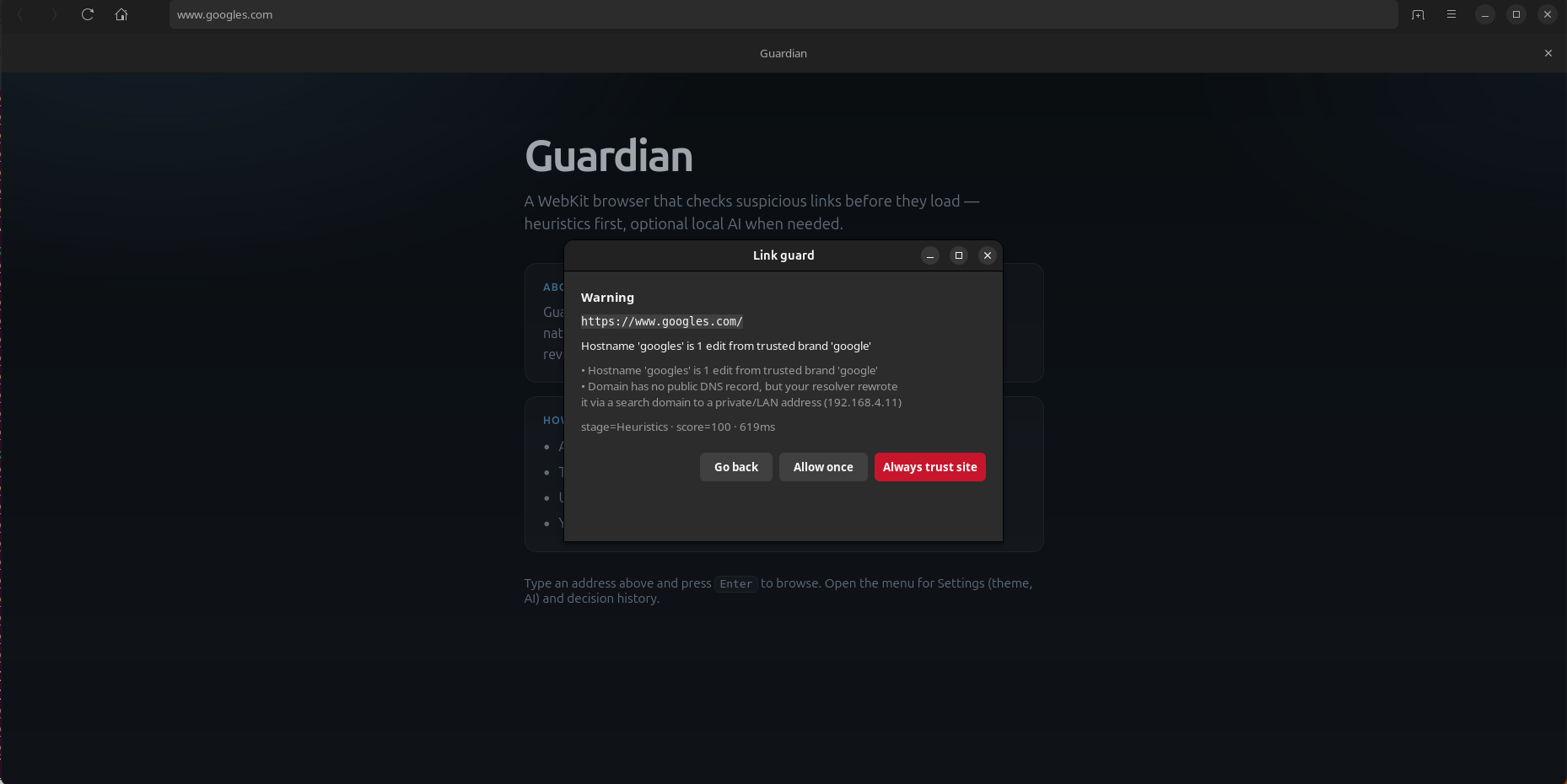
- Heuristics — typosquats, homoglyphs, credentials-in-URL, suspicious structure, brand/login bait even on otherwise “known” hosts.
- Reputation feeds — local URLhaus (and related) indexes refreshed in the background, looked up in memory at decision time.
- Optional AI — Ollama or an OpenAI-compatible endpoint for uncertain cases, with page-derived text treated as untrusted input (prompt-injection hardened).
When something looks wrong, you get an interstitial: Allow once, Always trust, or Go back. Fail-open and fail-closed modes let you choose how timeouts behave.
Runtime protection (while the page is alive)
- A WebKit web-process extension mirrors policy into the renderer path so sub resource decisions stay fast:
- Warn or block suspicious network requests.
- Scan scripts for hostile patterns.
- Flag page prompt-injection bait aimed at AI helpers.
- Watch for ex-filtration patterns — cookies, storage, beacons, clipboard, wallet-drain markers — and escalate high-severity hits.
Progressive load + deep page analysis
Not every site should wait for a full AI round-trip before paint. Guardian uses a progressive model:
- Low / unknown risk can commit quickly.
- After load, Guardian snapshots title, forms, scripts, and visible text.
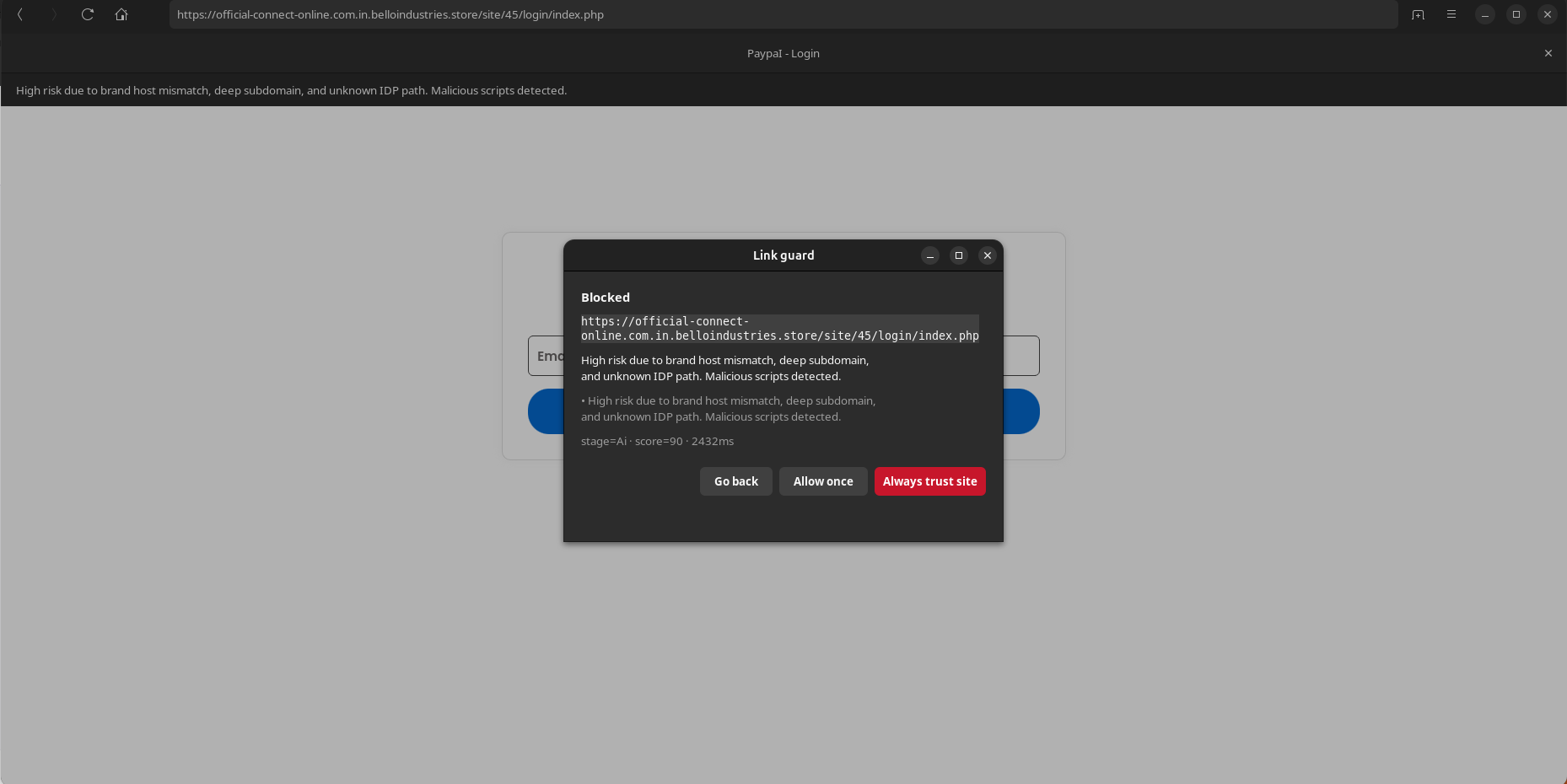
- Local page risk scoring looks for phishing and credential traps (brand/host mismatch, password forms, urgency bait, miners, wallet markers).
- Elevated scores escalate to deep AI with that page context.
- An analysis banner tracks Pending → Cleared / Elevated.
Credential lock
On unknown or elevated pages, password fields and login submit stay locked until analysis clears. The idea is simple: do not let someone type a password into a trap while the browser is still making up its mind.
Downloads
Downloads go through quarantine and a local scan path before you choose Save or Discard.
Settings that stay on your machine
AI provider, models, timeouts, fail mode, runtime warn/block, deep analysis, credential lock, appearance — all local config under ~/.config/guardbrowser/. Decision history keeps a trail of what the browser decided and why.
Where Guardian is going
The north star is a browser that feels like a normal desktop browser day to day, and like a security co-pilot when the web turns hostile.
Near term
- Sharper phishing and credential defense — especially free-host brand bait and post-load traps.
- Better visibility into why something was flagged (less magic, more readable trail).
- Stronger download and attachment hygiene.
- Polished chrome: Guardian branding, clearer status, less noise in the header.
AI that lives with the browser
Today Guardian talks to a local Ollama (or compatible) daemon over HTTP. The next step is treating models as first-class parts of the product: configurable fast vs deep models, sensible timeouts, and eventually an embedded local runtime so “AI protection” is not a separate hobby project you have to babysit.
Longer arc
- Malicious extension detection and hardening around the extension surface.
- Intel output — structured findings that can feed a collection or SOC-style pipeline, not only toasts on one machine.
- Broader platform reach (macOS / WKWebView is on the architecture map).
- The boring excellence that makes people keep the browser: tabs, performance, site compatibility, and trust that the guardrails stay out of the way when you are on sites you already trust.
Who this is for
Guardian is for people who care about phishing and credential theft more than about matching Chrome’s extension catalog, and want protection that stays local — lists, heuristics, and optional on-prem AI — rather than shipping every click to a vendor cloud.
If you build security tools, red-team phishing kits, or just want a browser that argues with sketchy links: this is the experiment.
Status
Guardian is under active development. The core gate, runtime guards, page analysis, credential lock, and local AI path exist and are improving in the open.